

Close Menu
  • Home
  • Online Safety
    • Secure Password Management
    • Two-Factor Authentication (2FA)
    • Public Wi-Fi Protection
    • View All Online Safety Articles →
    • Personal Data & Privacy Habits
  • Scam Prevention
    • How to Spot Fake Shopping Sites
    • Phishing Email Red Flags
    • Social Media Support Scams
    • Safest Online Payment Methods
    • View All Scam Alerts →
  • Smart Buyer Guides
    • Refurbished Smartphone Checklist
    • Used Laptop Buying Precautions
    • Smart Home Security Checklist
    • View All Buyer Guides →
    • Warranty & Return Policy Guide
  • Home Precautions
    • Safe Battery Charging Habits
    • Secure Home Wi-Fi Router Setup
    • Home Electrical Safety Rules
    • View All Home Precautions →
    • Laptop Overheating & Cooling
  • About
    • About Us
    • Contact Us
    • Privacy Policy
    • Terms of Service
    • Disclaimer

Subscribe to Safety Alerts

Get the latest consumer advice, scam warnings, and tech safety guides delivered directly to your inbox.

What's Hot

Lithium-Ion Battery Safety: Safe Charging Habits to Prevent Device Overheating and Fires

September 23, 2026

Smart Home IoT Security: How to Protect Connected Cameras and Devices from Hacks

September 23, 2026

Used Laptop Buying Guide: Critical Hardware and Battery Diagnostics to Run

September 23, 2026
Facebook X (Twitter) Instagram
Cauitonery
Subscribe
  • Home
  • Online Safety
    • Secure Password Management
    • Two-Factor Authentication (2FA)
    • Public Wi-Fi Protection
    • View All Online Safety Articles →
    • Personal Data & Privacy Habits
  • Scam Prevention
    • How to Spot Fake Shopping Sites
    • Phishing Email Red Flags
    • Social Media Support Scams
    • Safest Online Payment Methods
    • View All Scam Alerts →
  • Smart Buyer Guides
    • Refurbished Smartphone Checklist
    • Used Laptop Buying Precautions
    • Smart Home Security Checklist
    • View All Buyer Guides →
    • Warranty & Return Policy Guide
  • Home Precautions
    • Safe Battery Charging Habits
    • Secure Home Wi-Fi Router Setup
    • Home Electrical Safety Rules
    • View All Home Precautions →
    • Laptop Overheating & Cooling
  • About
    • About Us
    • Contact Us
    • Privacy Policy
    • Terms of Service
    • Disclaimer
Cauitonery
Home»Smart Buyer Guides»Refurbished Smartwatch Buying Guide: Battery Health, Sensor Accuracy, and Water Seals
Smart Buyer Guides

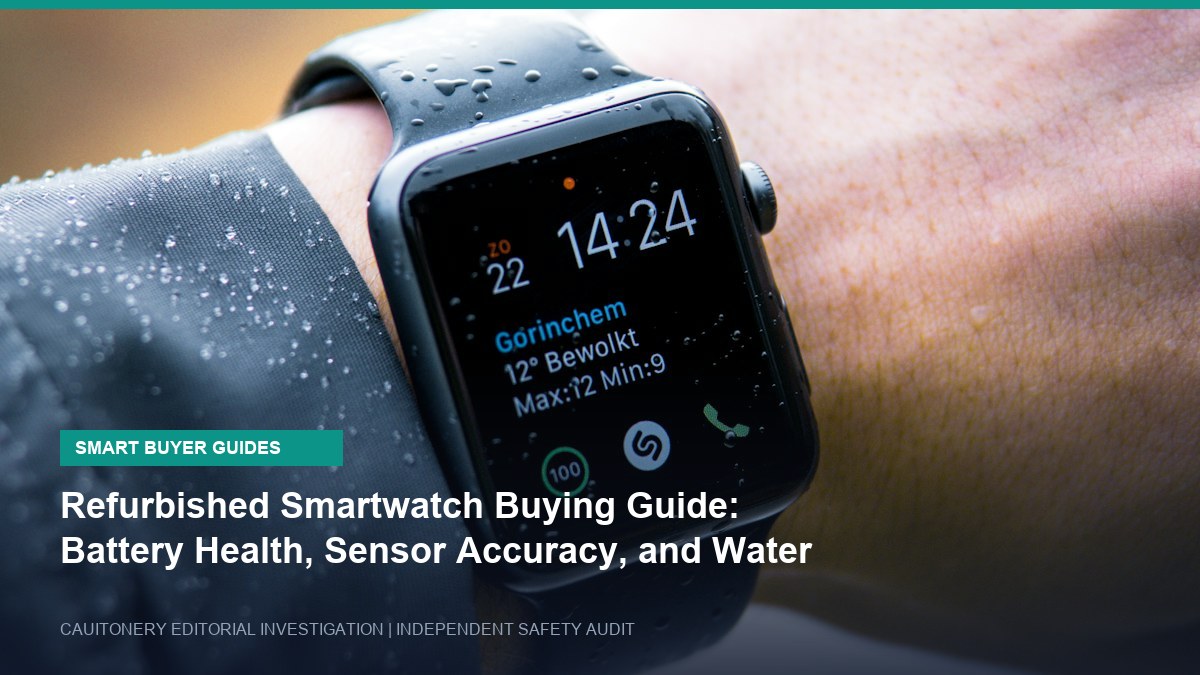
Refurbished Smartwatch Buying Guide: Battery Health, Sensor Accuracy, and Water Seals

Elena RostovaBy Elena RostovaSeptember 3, 2026Updated:September 24, 2026003 Mins Read
Share Facebook Twitter Pinterest Copy Link LinkedIn Tumblr Email Telegram WhatsApp
Follow Us
Google News Flipboard
Refurbished Smartwatch Buying Guide: Battery Health, Sensor Accuracy, and Water Seals
Share
Facebook Twitter LinkedIn Pinterest Email Copy Link

Smartwatches and biometric fitness trackers pack sophisticated health monitoring hardware into miniature wrist-worn enclosures. Because new flagship wearables frequently exceed \$400 to \$800, the refurbished secondary market has grown immensely popular. However, compact wearable devices face unique wear vectors that do not affect smartphones. Relying on our comprehensive refurbished smartwatch buying guide protects you against dying micro-batteries and compromised water resistance.

Why Wearable Diagnostics Differ from Smartphones

Unlike smartphones with large 3,000 to 5,000 mAh batteries, smartwatches utilize tiny 250 to 450 mAh cells. Because these compact cells are discharged and recharged every single day, they accumulate full discharge cycles at twice the rate of larger devices. A two-year-old refurbished smartwatch may struggle to provide even 8 hours of continuous operation on a single charge.

Wearable ComponentFactory SpecificationRefurbished Wear RiskTesting Methodology
Lithium-Polymer Cell18 – 36 Hours Run TimeSub-8 Hour Battery Life30-Minute GPS Workout Battery Drain Audit
Optical Heart Rate (PPG)Medical-Grade Pulse TrackingScratched Sensor Glass / Signal NoiseLive Comparison Against Chest Strap / Fingertip Pulse Oximeter
Acoustic & Water Gaskets5 ATM / 50M Water ResistanceAged Adhesive / Seal DegradationNever Submerge; Inspect Gasket Lines Under Magnification
OLED Display PanelHigh Brightness (1000+ Nits)Permanent Watch-Face Burn-InFull Screen Solid White/Gray Test Background

5 Critical Diagnostics to Execute on Refurbished Wearables

1. The 30-Minute High-Load Battery Discharge Test

When unboxing a refurbished smartwatch, immediately charge the device to 100%. Next, launch an outdoor running or cycling workout with GPS tracking enabled and display brightness set to maximum. A healthy battery should lose no more than 4% to 7% capacity over 30 minutes. If the battery drops by 15% or more in half an hour, the internal lithium cell is chemically exhausted and requires immediate replacement.

2. Inspect the Underside Optical Sensor Crystal

The rear sensor cluster houses photodiode sensors that measure heart rate (PPG) and blood oxygen saturation (SpO2). Heavy everyday wear, abrasive dust, and corrosive sweat can create micro-scratches on this ceramic or sapphire glass window. Severe scratching scatters optical light pulses, leading to wildly inaccurate heart rate spikes or completely failed health readings.

3. Treat Factory Water Resistance as Compromised

Manufacturers achieve 50-meter water resistance (5 ATM) using precision rubber micro-gaskets and cured pressure adhesives. As devices age—and especially if third-party refurbishers pry open the casing to replace screens—these watertight seals are compromised. Never wear a pre-owned or refurbished smartwatch in swimming pools, saunas, or hot showers, regardless of its original factory rating.

WATER DAMAGE ADVISORY: Even certified refurbished warranties from major retail marketplaces strictly exclude liquid intrusion damage in their fine print. Exercise caution and keep pre-owned wearables dry.

4. Screen for Persistent OLED Burn-In

Wearers frequently keep Always-On Display (AOD) active with high-contrast digital clock dials. Over thousands of hours, static white numerals can permanently burn into the organic sub-pixels. Display a full-screen solid gray image in a dark room to confirm the panel is completely free from ghostly dial outlines.

5. Test Microphone and Haptic Vibrator Coils

Compact linear resonant actuators (haptic engines) endure millions of pulses over a wearable’s lifetime. Place a test call using the watch speaker and microphone, and toggle high-intensity alarm vibrations. Rattling or buzzing sounds indicate a loose haptic motor or damaged acoustic mesh.

Frequently Asked Questions About Refurbished Smartwatches

Is manufacturer refurbished better than third-party refurbished?
Yes, significantly. Official Apple Certified Refurbished or manufacturer-renewed units invariably include a brand new exterior casing, a brand-new battery cell, and full factory water-tightness guarantees.

Can I replace a dying smartwatch battery myself?
Due to miniature glued assemblies, proprietary flex cables, and micro-soldered connectors, DIY smartwatch battery replacements have an extremely high failure rate. Professional repair or factory replacement is strongly advised.

Add as Preferred on Google Follow on Google News Follow on Flipboard
Share. Facebook Twitter Pinterest LinkedIn Tumblr Email Copy Link
Elena Rostova
  • Website
  • X (Twitter)
  • LinkedIn

Elena Rostova is a consumer electronics hardware analyst and electrical safety specialist. With a background in bench testing and microelectronics diagnostics, she focuses on lithium-ion thermal runaway prevention, certified refurbished device inspections, and smart home IoT network isolation. Her teardowns and diagnostics at Cauitonery provide consumers with practical, hazard-free buying guidance.

Related Posts

Used Laptop Buying Guide: Critical Hardware and Battery Diagnostics to Run

September 23, 2026

Refurbished Smartphone Buying Checklist: 8 Things to Test Before Keeping It

September 23, 2026

Third-Party Fast Chargers: How to Verify UL, CE, and USB-IF Certification Before Buying

September 12, 2026
Add A Comment
Leave A Reply Cancel Reply

Top Posts

Lithium-Ion Battery Safety: Safe Charging Habits to Prevent Device Overheating and Fires

September 23, 202610 Views

Smart Home IoT Security: How to Protect Connected Cameras and Devices from Hacks

September 23, 20268 Views

How to Spot a Fake Online Shopping Website: 10 Critical Warning Signs Before You Pay

September 23, 20265 Views
Latest Reviews
Stay In Touch
  • Facebook
  • YouTube
  • TikTok
  • WhatsApp
  • Twitter
  • Instagram

Subscribe to Safety Alerts

Get the latest consumer advice, scam warnings, and tech safety guides delivered directly to your inbox.

Popular Guides

Lithium-Ion Battery Safety: Safe Charging Habits to Prevent Device Overheating and Fires

September 23, 202610 Views

Smart Home IoT Security: How to Protect Connected Cameras and Devices from Hacks

September 23, 20268 Views

Used Laptop Buying Guide: Critical Hardware and Battery Diagnostics to Run

September 23, 20263 Views
Editor’s Picks

Cloud Storage Security: 6 Crucial Safeguards for Storing Sensitive Documents Online

August 4, 2026

Identity Theft Prevention: 8 Daily Habits to Guard Your Social Security and Financial Data

August 7, 2026

VPN Protocols Explained: WireGuard vs OpenVPN vs IKEv2 for Maximum Online Privacy

August 11, 2026

Subscribe to Safety Alerts

Get the latest consumer advice, scam warnings, and tech safety guides delivered directly to your inbox.

Facebook X (Twitter) Instagram Pinterest
  • About Us
  • Contact Us
  • Privacy Policy
  • Terms of Service
  • Disclaimer
© 2026 Cauitonery. All Rights Reserved. Smart Consumer Advice & Everyday Safety Guides.

Type above and press Enter to search. Press Esc to cancel.